
ARTrace — AR Drawing & Trace App
Draw on Paper with AR
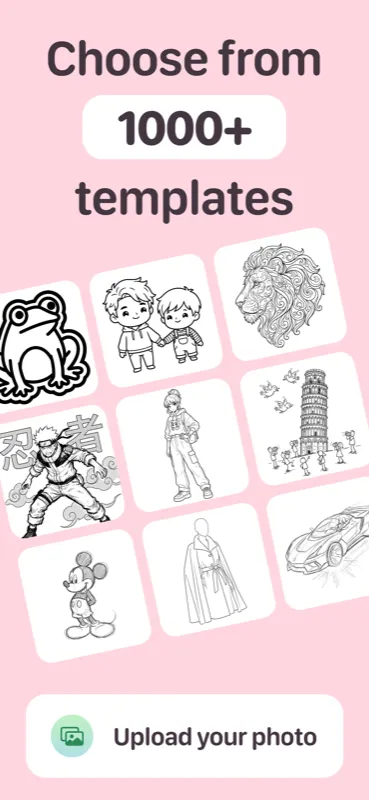
Turn your phone into an AR drawing projector. ARTrace overlays any image onto real paper through your camera — so you can trace it with a real pencil, pen, or marker. Pick from 1000+ templates, convert your photos to traceable sketches, or generate something entirely new with AI.

Available on iPhone, Mac, and Apple Vision
Everything you need to draw on real paper
Whether you’re learning to draw for the first time or sharpening your skills, ARTrace is the AR drawing app that brings your ideas from screen to paper — no experience required.
AR Tracing
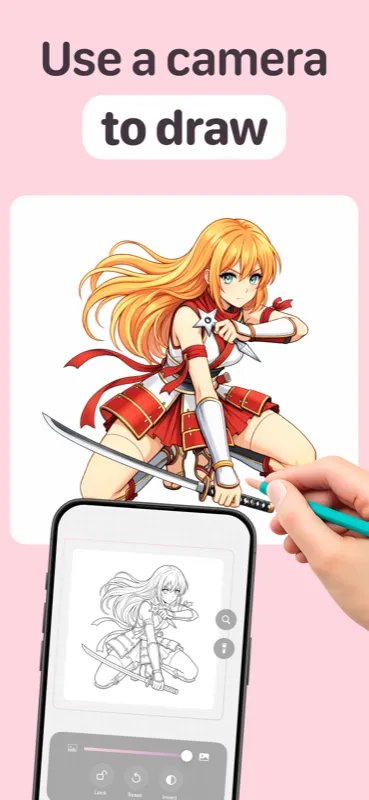
Project any image onto paper and trace with your real pencil. The AR overlay guides every stroke.
Huge Library
Hundreds of themed images across many categories — animals, portraits, landscapes, and more.
Photo to Sketch
Convert any photo into a clean, traceable outline. Turn memories into art you draw by hand.
AI Generation
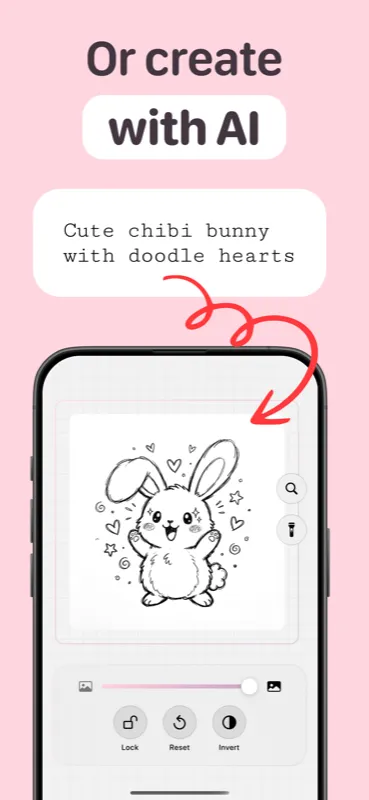
Describe your idea and AI creates an image to trace. From imagination to paper in seconds.
Real Paper Drawing
Draw with pencil, pen, or marker on real paper — not on a screen. Build real artistic skill.
28 Languages
Available in English and 27 more languages. Art has no borders, and neither does ARTrace.
How AR tracing works
Three simple steps to trace any image onto paper using your phone camera and augmented reality.
Choose
Pick from the image library, upload your own photo, or generate something new with AI.
Project
ARTrace projects the image onto your paper through your phone camera using augmented reality.
Trace
Follow the AR projection and draw on real paper with any pencil, pen, or marker you like.
ARTrace at a glance
Frequently asked questions
Everything you need to know about ARTrace and AR drawing on paper.
What is ARTrace?
Is ARTrace free?
What devices does ARTrace support?
Can I use my own photos?
Does ARTrace have AI features?
How do I trace a photo onto paper with my phone?
Is ARTrace good for beginners who want to learn to draw?
Start tracing on paper today
Download the free AR drawing app for iPhone and start tracing onto real paper right away. Go premium to unlock the full image library, unlimited AI image generation, and new content every week.
Available on iPhone, Mac, and Apple Vision Pro